
Get Started
Whether you want to upgrade your vehicle, build your own hardware, write code, or contribute to the project, choose the path that fits you.
Make Your Vehicle Smarter
No coding required. Pick the modules you want, plug them in, and start controlling your vehicle from your phone.
What You'll Need
Smart Modules
The hardware boxes that plug into your vehicle. Start with Switchback for light control and sensor inputs on an off-the-shelf board, then add Bearing, more sensors, and more.
Headwaters
A small onboard computer like a Raspberry Pi. It connects via ethernet to a compact router and runs the dashboard over WiFi.
Your Phone or Tablet
Any device with a web browser. Connect to the vehicle's WiFi and open the dashboard to start controlling everything.
Choose Your Modules
Start simple. Switchback gives you smart control over up to 8 lights or accessories plus 8 sensor inputs, all on an off-the-shelf board (no PCB fab required). From there, add what makes sense for your setup:
- GPS module for location tracking and movement alerts
- Air quality and climate monitoring
- Battery and solar power monitoring
- Cabinet and door sensors for travel alerts
- Vehicle leveling assistance
Install in Your Vehicle
All modules connect with a simple 4-wire cable that carries both power and data. Daisy-chain them together. No complicated wiring harnesses. Each module just plugs into the next.
- Single 4-wire cable for power and data
- Daisy-chain modules in any order
- Add or remove modules without rewiring
- Automotive-grade CAN bus communication
Set Up Headwaters
Plug in a small computer (like a Raspberry Pi) and connect it via ethernet to the GL.iNet Spitz Plus (GL-X2000) is the recommended router for TrailCurrent deployments. Its OpenWrt firmware creates the local network that ties everything together: Headwaters, Overlook, Fireside, and Spotter all communicate over this Wi-Fi 6 network with zero internet dependency.
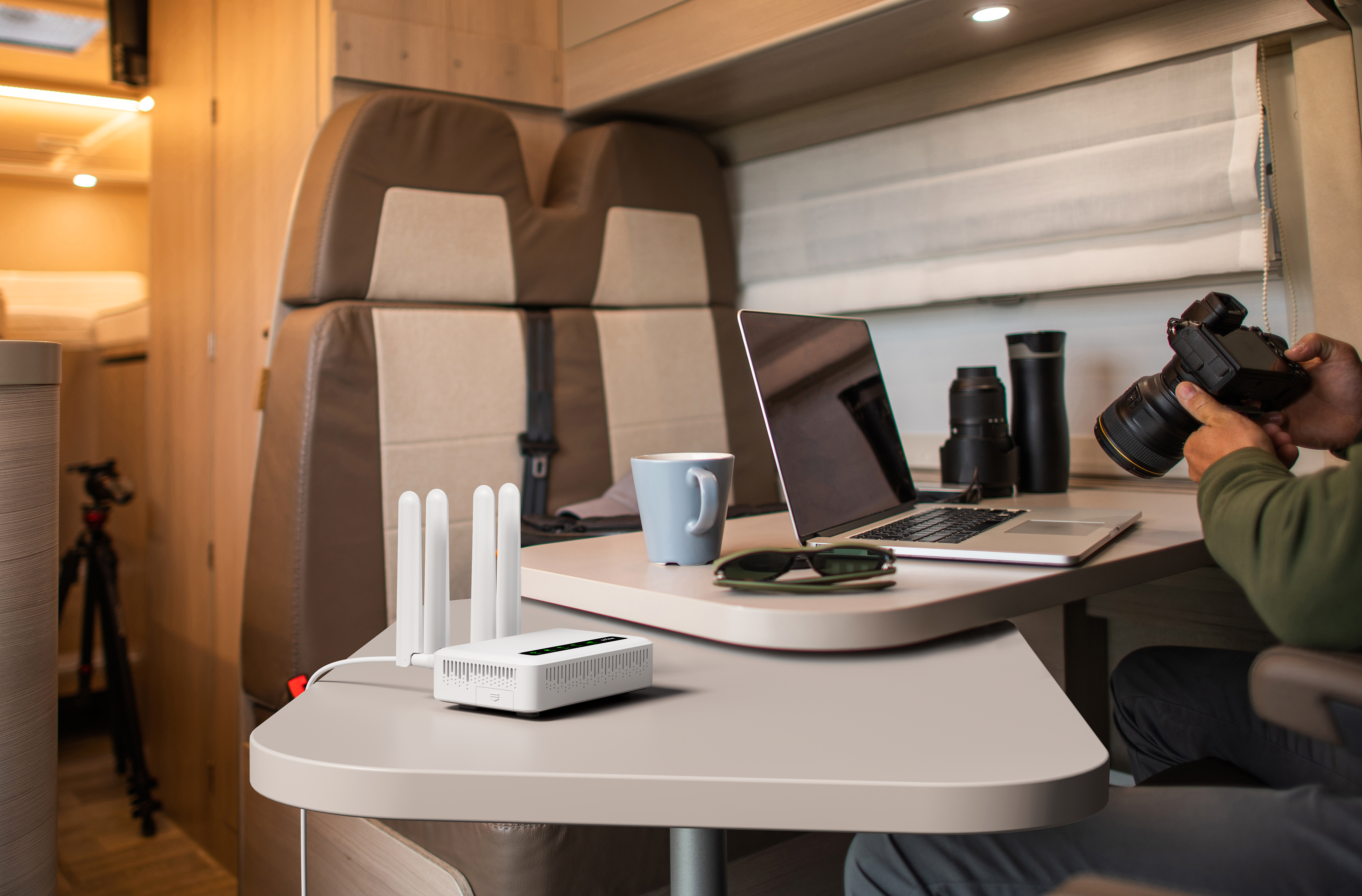
- OpenWrt Wi-Fi 6 creates the vehicle’s local network
- 2 Gigabit Ethernet ports, 9–36V DC, runs on vehicle power
- Headwaters, Overlook, Fireside, and Spotter all work offline over this network
- Includes offline maps with 11 map styles
Open Overlook
Connect your phone, tablet, or laptop to the vehicle's WiFi and open any web browser. Overlook gives you full control: toggle lights, adjust the thermostat, check power status, view sensor readings, and more.
- Control lights, thermostat, and accessories
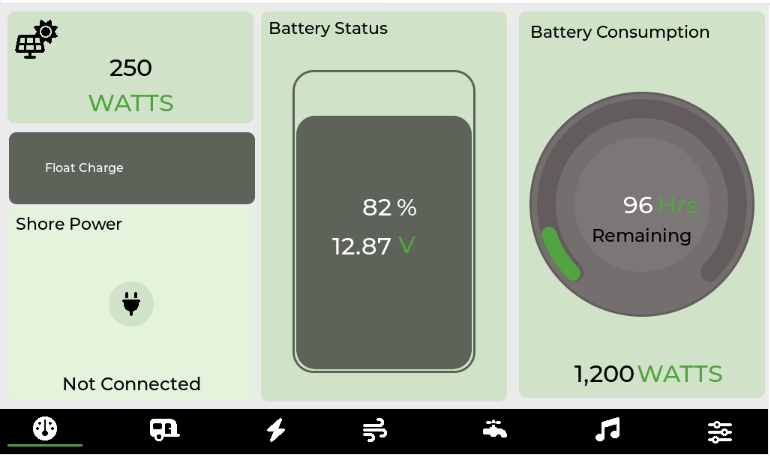
- Monitor battery, solar, and power consumption
- View GPS location and sensor data
- Set up automation rules and alerts
Remote Access with Farwatch
The GL.iNet Spitz Plus has built-in 4G LTE with dual SIM. Drop in a SIM card and the same router that runs your local network becomes your cellular gateway. This enables Farwatch remote monitoring, over-the-air firmware updates, cloud sync, and SMS alerts for critical events, without any additional hardware.
Check on your vehicle while in storage, get alerts if something needs attention, and pre-cool the fridge before heading out on a trip. Farwatch is entirely optional. Everything works without it.
Build Your Own Modules
Most modules ship on stock dev boards. Order the board, 3D-print the case, flash the firmware. The handful of custom PCBs in the system are open source too, with schematics and Gerbers ready to send to a fab if you want to build those.
Mostly Off-the-Shelf
Most TrailCurrent modules run on stock ESP32-S3 or ESP32-P4 dev boards from Waveshare, or SBCs like the Raspberry Pi CM5 and Radxa Dragon. Order the board, 3D-print the case, flash the firmware. For the few modules that go custom (Tapper's button matrix, a few legacy boards), full KiCAD schematics, PCB layouts, and BOMs are on GitHub. Send the Gerbers to any fab if you want to build those.
- Stock dev board specified for every module
- KiCAD schematics for the custom-PCB exceptions
- Shared symbol and footprint libraries
- FreeCAD and STL files for 3D-printable enclosures
- Full bill-of-materials with part numbers
Modify & Flash Firmware
Firmware for all modules is built with ESP-IDF and runs on ESP32 microcontrollers. Modify the code to fit your needs, or flash a pre-built release straight from your browser.
- Web flasher for any module, no toolchain required
- ESP-IDF toolchain with VS Code integration
- FreeRTOS task-based architecture
- OTA updates over the CAN bus once installed
Extend the Software Stack
The platform runs on standard tools you already know. Docker, Node.js, MongoDB, Kotlin. Pick the layer that interests you.
Headwaters
In-Vehicle Computer
Docker Compose stack with MQTT broker, Node.js API, offline tile server, CAN-to-MQTT bridge, and a progressive web app dashboard.
Clone the repo and run docker compose up to have the full
platform running locally.
Farwatch
Cloud Platform
Node.js Express API with MongoDB. JWT authentication, WebSocket real-time updates, and push notifications. Fully self-hostable.
Run it on your own server or a cheap cloud instance. Your data stays on your infrastructure.
Farwatch on GitHubOutbound
Android App
Native Android app with Kotlin and Jetpack Compose. Material Design 3, direct WiFi and cloud connectivity, real-time sensor display.
Control your vehicle from your pocket. Connects locally over WiFi or remotely through the cloud.
Outbound on GitHubHelp Shape the Platform
Found a bug? Have an idea? Want to improve the documentation? Every contribution matters, and the project is built on community involvement.
- Read the documentation to understand the architecture
- Browse open issues across repositories
- Fork the repo you want to work on
- Make changes on a feature branch
- Submit a pull request with a clear description
Code Contributions
Firmware in C++, backend in Node.js, dashboards in vanilla JavaScript, mobile app in Kotlin. Pick what you know.
Hardware Design
Improve existing KiCAD schematics, design new modules, or refine 3D-printed enclosures.
Documentation & Testing
Write setup guides, improve architecture docs, test modules, and report issues you find.
Everything You Need to Know
The TrailCurrentDocumentation repository is your central reference. Architecture guides, wiring diagrams, CAN bus definitions, and step-by-step setup instructions.
- System-level architecture spanning 10 sections
- Wiring diagrams and installation guides
- CAN bus message definitions in standard DBC format
- Working DBC editor web application
- Edge gateway deployment instructions
- API documentation for the Node.js backend
Ready to Get Started?
Learn how the platform works or jump straight into the code.