TrailCurrent was designed as one experience across every device in your rig. Now you can see it: six devices sharing one travel trailer, through a whole day at camp.
Milepost joins Capstan on the website, this time inside a whole travel trailer. The real screens, pixel for pixel, with no hardware to buy and nothing to install.
Two small round dials, each with a ring of coloured light around the knob, put side by side. What the light adds, why one was far easier to build around, and which one we keep reaching for.
The dial behind Capstan is worth knowing about even if you never build a TrailCurrent system. You feel every click, it works with gloves on, and it fits where a touchscreen never would. Our review, a second project with no RV in it, and all the files.
The newcomer we had not named yet. A small round screen inside a ring you turn and press, one for every spot in the rig, each with its own job. Set up from your phone with no app and no signal, and a clock when you leave it alone. You can turn it in your browser right now.
The drawing board behind our touchscreens can now run a whole screen, your own code and all, on a laptop before a board is ever plugged in. We built an off-grid power dashboard with it and the new drawing library widgets heading into a module we are starting now. Video, the agent instructions, and the complete project, all free.
Milepost, Fireside, and Spotter are moving to the latest EEZ Studio and to LVGL 9. That means gauges with real tick marks and coloured bands instead of approximations of them, layouts that fit whatever size display they land on, and drawing work handed to graphics hardware that has been sitting idle. Same displays you already have, delivered over the air.
We asked an AI agent to design a nine foot table, check its own work, and write the instructions that cut it. The machine made it and it fits, flat to about three sheets of paper across the whole span. Here is why that decides how the inlays land in our HDPE and aluminium cabinets, the four times the agent was confidently wrong, and where to download the table, the skills, and the plugin.
Our LowRider V4 cut its own parts on the first try, then showed us the table underneath it was warped. So a torsion table gets built before a single cabinet door does. Plus a thank you to Ryan at V1 Engineering, whose open-source design put the machine in our shop.
We got tired of debugging a trailer from a laptop on the floor, so we built a handheld that does it instead. A Waveshare PocketTerm35 with a Raspberry Pi 5 inside, running a custom OS that boots straight into twelve diagnostic tools. Optional, never fitted to the vehicle, and all of it open source.
The repos have been quiet, the shop has not. A handheld CNC pendant built on the same screen that runs Fireside, early hardware for cameras that recognize what they see, Milepost settled into the wall, and the heat problem holding up Cornerstone.
A status update from the bench. The field bugs we could not reproduce indoors now happen on demand, with a cable attached so we can watch why. Plus a talk button that reaches Peregrine from out at the fire, a matching look across every screen, a rolling hour of history on Fireside, and Cornerstone now in testing.
Overlook has a new Live Monitoring tab. Plug USB webcams into your Headwaters, turn them on in settings, and every camera shows up as a live tile on any phone, tablet, or laptop on your rig's wifi. Zero cost when nobody is looking.
Overlook now routes you down real roads to the trailhead, then hands over to a GPX track you uploaded for the trail itself. All offline, on your rig, while every TrailCurrent sensor and alarm keeps running in the same app.
The map on your rig can now search for a place by name and hand you turn-by-turn directions to get there. All of it works with the map you already loaded, without a cell signal. A big step toward full offline navigation.
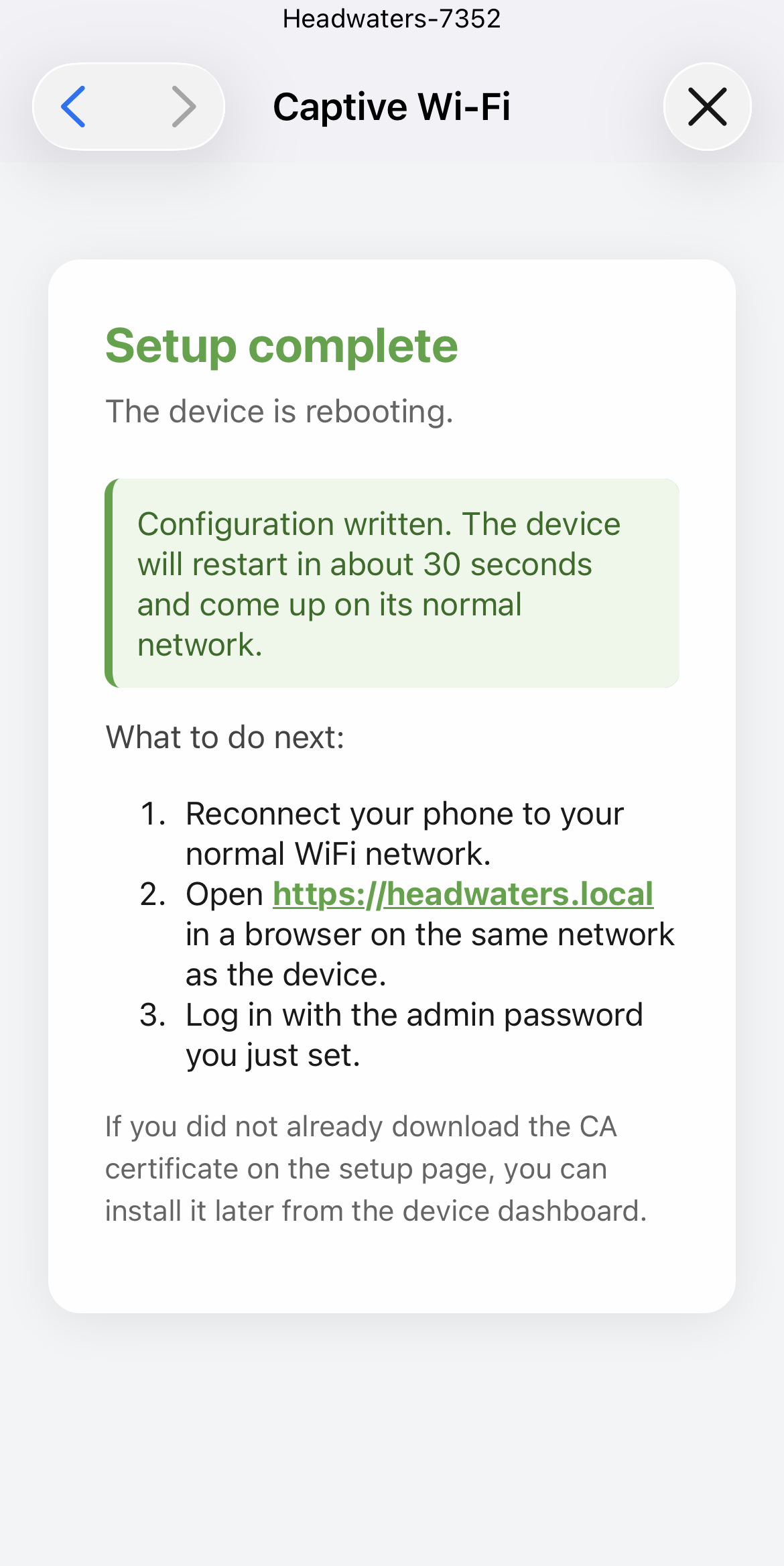
The next Headwaters image is here. One build turns out both CM5 variants at once, the download drops to 2.6 GB, first-time setup happens from your phone with no terminal, and uploading a fresh map from the browser is now working end to end.
Overlook now adapts to the screen you're on. Camping, Driving, and Storage modes. A Spotter-level driving dashboard on any phone. Offline reverse geocoding that turns your GNSS fix into a real place name, without a single call to Google or Mapbox. And a proper Units panel for speed, temperature, and altitude.
Spotter is the little screen that rides up front with you. After a fair amount of rework, the Drive screen is doing real work. One quick look tells you the trailer is awake, the battery is healthy, the tires are right, the sun is feeding you watts, and the wiring back to the trailer is doing what it should.
TrailCurrent was designed as one experience, not a pile of gadgets. Six devices now share one travel trailer on the website, so you can follow a day at camp and see how they work together before you build your own.
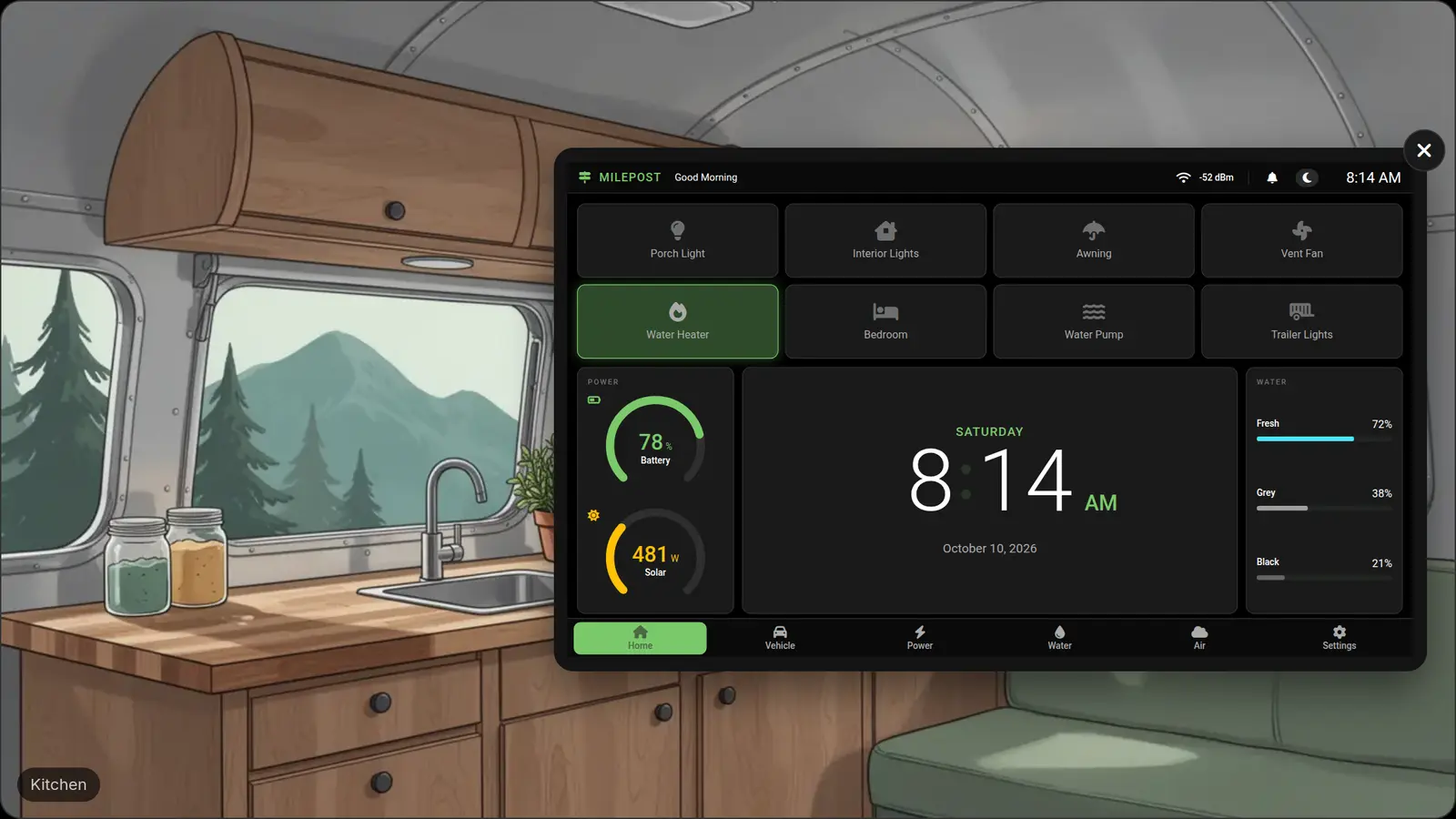
Milepost joins Capstan on the website, inside a travel trailer you can walk through. Run the water, level the trailer, wait for dark. The real screens, pixel for pixel, what the scenes assume about your rig, and where this is going.
Two small round dials from Elecrow, each with a ring of coloured light around the knob. What the light adds, why one was far easier to print a stand for, the press that is not where you think, and which one became our favourite. The video and every file, free.
The round dial behind Capstan, reviewed for anyone with a project on the bench. You feel every click, it works with gloves on, and it fits where a touchscreen never would. A desk tool we built with it that has no RV in it, what tripped us up, a new printable stand, and every file free.
A small round screen inside a ring you turn and press. Put one by the door, one by the bed, one in the galley, and give each its own lights and alarms. Set up from your phone at camp with no app and no signal, three off-the-shelf sizes, a ring of light on the smaller two, and a clock when you walk away. What is not done yet, and a working dial to try in your browser.
EEZ Studio can now run a whole screen on a laptop, your own code and all, so the logic works before a board is ever plugged in. We used it to build an off-grid power dashboard with the new LVGL 9 gauges, layouts, and readouts that are heading into a module we are starting on now. What the simulator will not tell you, what went wrong anyway, and the complete project to take.
Three of the things we make are screens, and they are all moving to the latest EEZ Studio and to LVGL 9. Gauges with real tick marks, labelled divisions, and coloured bands rather than rings faked out of stacked arcs. Layouts that fit whatever display they land on instead of being drawn three times. Graphics hardware that has been sitting idle inside the chip finally getting used. What changes on the wall, what does not, and why none of it costs you new hardware.
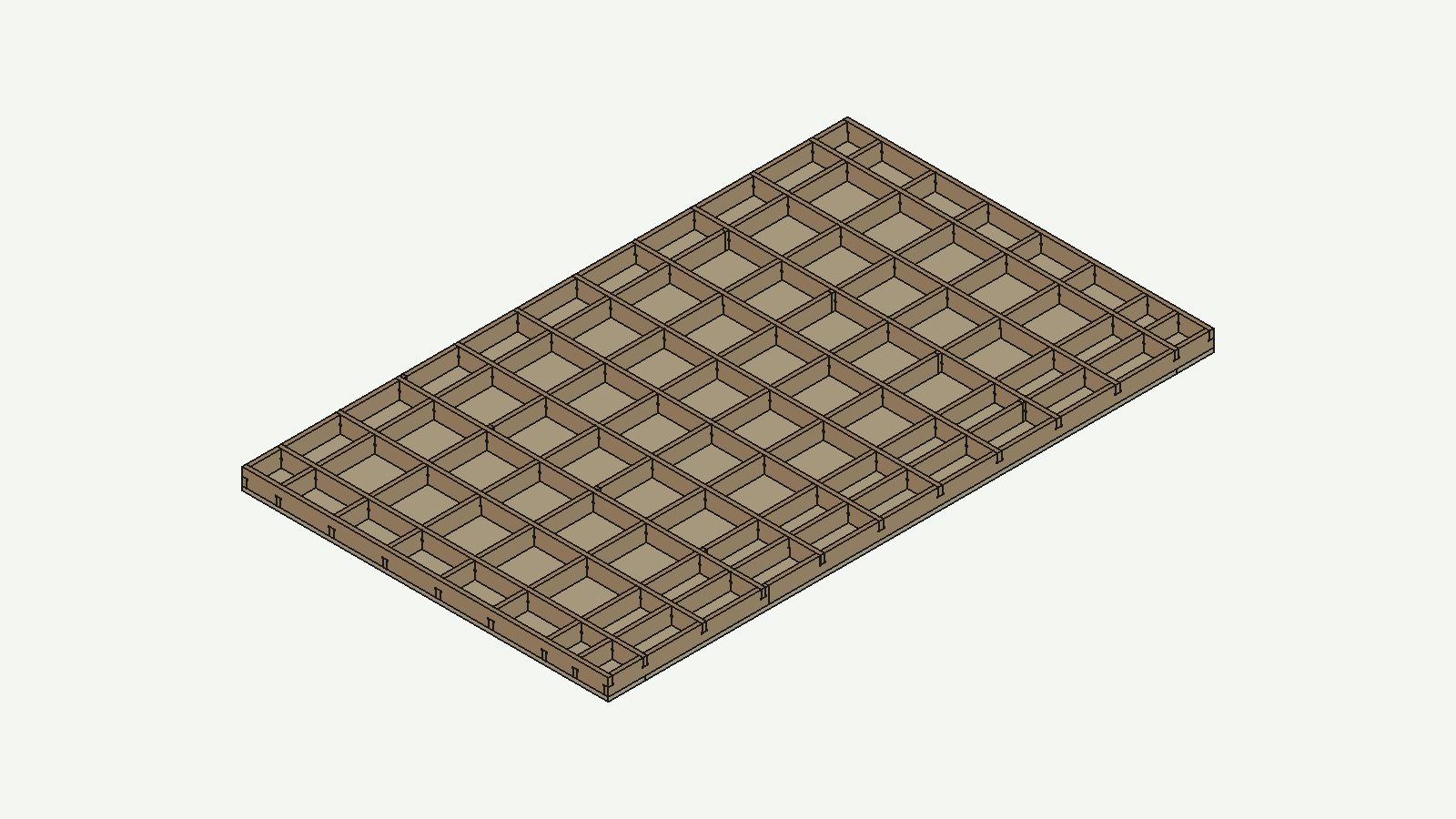
We asked an AI agent to design a nine foot torsion table, check every one of its 108 joints, and write the instructions that cut it. The machine made it and it fits, flat to about three sheets of paper across the whole span. A machine whose first job was cutting its own parts, and whose second was cutting the table that made it accurate. Why that flatness decides how the inlays land in our HDPE and aluminium cabinets, the four times the agent was confidently and expensively wrong, and where to download the table, the agent skills, and the FreeCAD plugin that let it all happen.
The CNC is built and cutting. Its first real job was making its own parts, and its second was telling us the box store lumber under it had gone bent. Here is the torsion table we are building to fix that, why a flat reference matters before any cabinet gets cut, and a thank you to the person who gave the machine design away for free.
Tracer is a handheld debugger for a rig that is already built: a Waveshare PocketTerm35 chassis with a Raspberry Pi 5 inside, running a custom Raspberry Pi OS image that boots straight into twelve diagnostic tools. Plus what we learned about the hardware, and how to make a Pi boot into your own app with no desktop behind it.
The repos have been quiet, the shop has not. A handheld CNC pendant built on the same ESP32-P4 touchscreen that runs Fireside, early hardware testing on cameras that recognize what they are looking at, Milepost settled into the trailer wall and behaving, and the heat problem holding up Cornerstone.
A status update from the bench. The field bugs we could not reproduce indoors now happen on demand, with a cable attached so we can watch why. Plus a talk button that reaches Peregrine from out at the fire, cameras on Headwaters, a matching look across every screen, a rolling hour of history on Fireside, and Cornerstone now in testing.
Overlook has a new Live Monitoring tab. Plug USB webcams into your Headwaters, turn them on in settings, and every camera shows up as a live tile on any phone, tablet, or laptop on your rig's wifi. No cloud service in the middle, and zero cost when nobody is looking.
Overlook now routes you down real roads to the trailhead, then hands over to a GPX track you uploaded for the trail itself. All offline, on your rig, on the same map, while every TrailCurrent sensor and alarm keeps running in the same app.
The map on your rig can now search for a place by name and hand you turn-by-turn directions to get there. All local, no cell signal required. Some rough edges on residential house numbers, but a real first step toward full offline navigation.
A big chunk of what we called out last week just landed. One build script now turns out both Headwaters CM5 variants at once, the image is down to 2.6 GB with maps no longer baked in, first-time setup runs from your phone with no terminal, and uploading a fresh map through the browser is working end to end.
The repos are going to be a little quiet for a bit. Not because the work has stopped. The opposite. Three big changes on deck at the same time. Real search and routing in the offline map, a first-boot flow that skips SSH entirely, and a combined firmware called Cornerstone that runs six modules on one board.
Overlook now adapts to the screen you're on. Camping, Driving, and Storage modes. A Spotter-level driving dashboard on any phone. Offline reverse geocoding that turns GNSS coordinates into a real place name. And a proper Units panel for speed, temperature, and altitude.
Every version of TrailCurrent should be easier to build than the last one. The new Buy It path for Headwaters is the latest step. Four off-the-shelf parts, no PCB, no printer, no soldering on this module. A direction, not a one-off.
Headwaters now has a second build recipe, and it is the easiest one yet. Same brain, same software, same feature list. Fewer parts. No 3D print. No add-on CAN hat. No custom wiring connector. One board, one case, one order.
Multiple days above 100°F inside the test trailer. Headwaters kept the CPU under 70°C, held the fan at 75% with room to spare, and never went dark. All on 200W of solar and a 100Ah battery.
Three days on the road with Spotter up front and Milepost in the trailer. The bench said both were ready. The road had notes. Most of the Spotter list is already fixed and rolling out over the air. Milepost is close, but still has a couple of items in flight.
Torrent is retired. Switchback now picks up the light-switching job and adds Picket-format sensor inputs in one off-the-shelf box. We hate to see Torrent go. We also know it is the right call. One fewer custom PCB on the build list, simpler starter recipe, lower total cost.
Cabinets you cannot see from the driver's seat. A fridge switch you bumped off on the way out the door. A stabilizer jack still down when you climb in to leave. A ramp door you forgot to raise. Today the same alarm engine watches all of them across three TrailCurrent screens, with rules that match where you are.
Spotter is the little screen that rides up front with you. After a fair amount of rework, the Drive screen is doing real work: battery, tire pressure, solar, turn signals, and the 7-pin trailer lamps, all at a glance.
The instruction notes we write for the Claude AI assistant are now public on GitHub under the MIT license. First card in the box is for EEZ Studio. It is the same workflow we used to build the touchscreen face of the FluidNC pendant from this week's video in a single day.
TrailCurrent's three jobs: build the system, give it away, and teach others how to do the same with their own ideas. This video is example three. A guided tour of the free EEZ Studio and LVGL stack that draws the touchscreens on Milepost and Fireside, demoed on a handheld FluidNC CNC pendant.
The first TrailCurrent build from outside our workshop. A hobbyist in Europe is putting a rig together from scratch and has already designed a new module of their own, called Australis. It will watch the air inside a dog trailer and can tell the fan to kick on. The dashboard is already showing a spot for it. The sensors are in the mail.
Milepost runs on the Waveshare ESP32-S3-LCD-7B: an ESP32-S3, a 7-inch 1024x600 capacitive touch IPS panel, WiFi, and USB-C on one board. The new video puts it on the bench, walks through the CAN port on the back that made it the obvious pick, and lays out the trade-offs against the P4 sibling that runs Fireside.
A one-day run at putting a bigger on-device language model on Peregrine. We compiled Llama 3.2 3B for the Radxa Dragon Q6A and tried to swap it in for the current 1B. The chip can compute it. The runtime that ships with the OS image cannot load it. The block is a software version gap, not a chip limit, and that changes the upgrade plan.
New video on the open-source channel puts the Raspberry Pi 5 next to the $139 Radxa Dragon Q6A. What is on each board, where each one wins, and why the Q6A ended up running Playbill, running Peregrine, and lining up as the candidate second brain for Headwaters once a CAN hat issue is sorted.
Two weeks of polish on Playbill. Local 4K plays smoothly. The case is quieter and the buttons moved to where your hand expects them. The full desktop side is more capable for users building their own things on it. Plus a public lessons-learned doc for anyone considering the Radxa Dragon Q6A.
Switchback is the TrailCurrent module that switches loads on the CAN bus. The hardware review goes through what is inside the case and the one design decision that quietly knocks a part off the BOM: the eight digital inputs broadcast in Picket format byte-for-byte, so one module covers both the relay-node and the Picket-input-node roles.
The Borealis parts landed this week. Four sensors, one CAN carrier, and a firmware build that has been waiting on something to talk to. Next up: wire the ribbon, burn in the MQ-6, validate against Headwaters, then cut the case in FreeCAD.
Three days off-grid surfaced a renewal that had quietly stopped firing. The fix moves Let's Encrypt out of a host cron job and into the Docker stack, so Farwatch heals itself the next time we leave it alone.
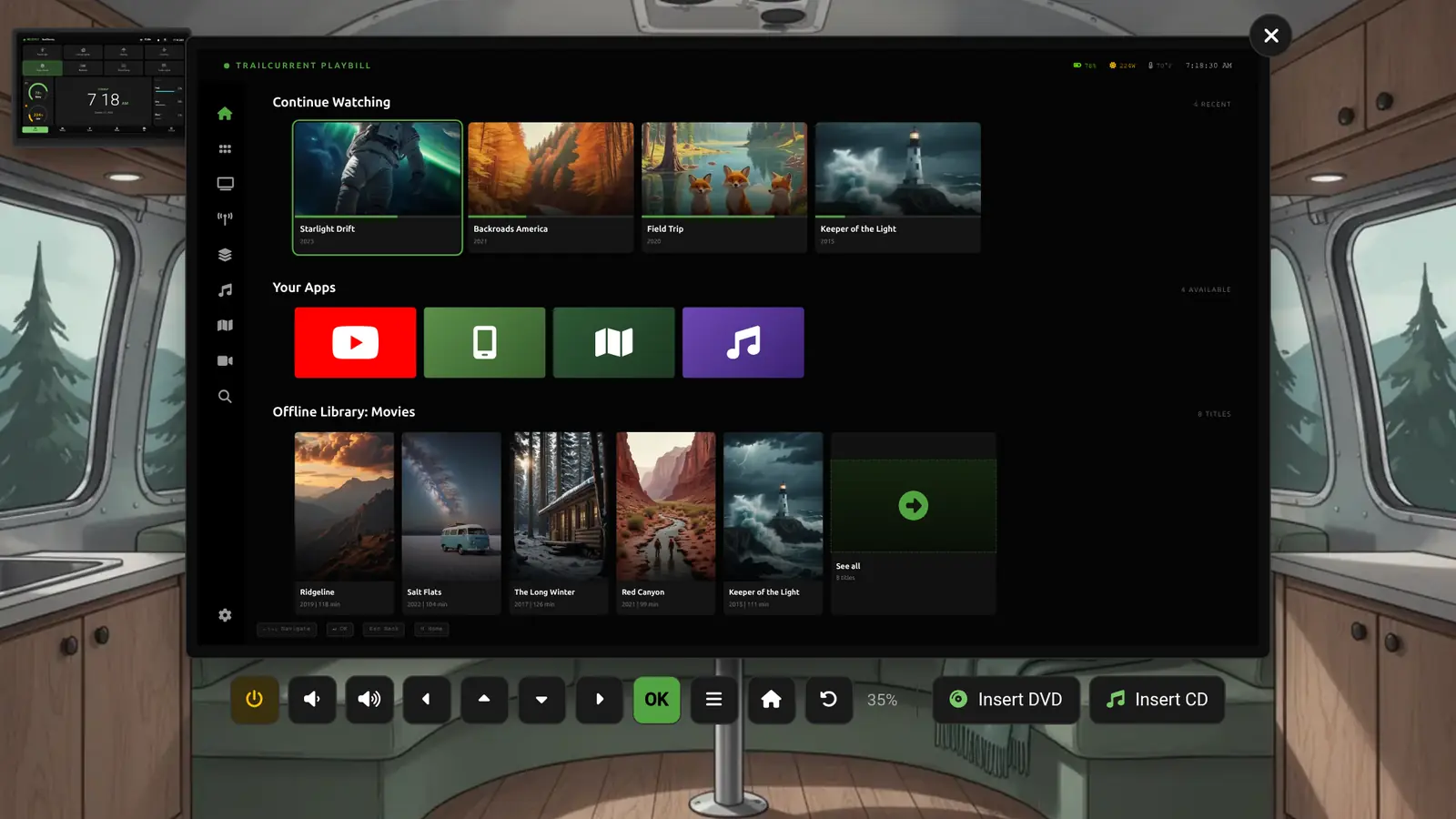
The Playbill image is a real artifact. Live TV from a USB antenna tuner, FM and AM radio, AirPlay mirroring, DVD-to-library with OMDb metadata, YouTube, and a header full of rig telemetry, all from one flash. A prebuilt .img is next.
Fireside moved off the ESP32-S3 and onto the ESP32-P4: dual-core RISC-V at 360 MHz, dedicated MIPI-DSI for the 7-inch panel, and an ESP32-C6 doing WiFi 6 over SDIO. The video walks through the chip and what changes for the dashboard.
Overlook on your phone now drives Playbill end to end. Power, D-pad, transport, volume, and a streaming text field that types into whatever is focused on the TV. All over the rig's own MQTT bus.
Switchback now has a full detail page. Eight relay outputs, eight Picket-format digital inputs, one off-the-shelf module. Bill of materials, hardware overview, wiring, CAN protocol, and a high-voltage safety section.
The video walkthrough of why Headwaters dropped the Raspberry Pi 5 in favor of the Compute Module 5 on a Waveshare base. Availability, cost, assembly, and what changed underneath. Posted to the open-source channel.
A low-power Linux desktop for daytime work that transforms from computer to TV at night. Built on the Radxa Dragon Q6A, branded TrailCurrent end to end, and wired into the rest of the rig.
Borealis is being rebuilt around four real sensors instead of two estimated ones. NDIR CO2, VOC trending, electrochemical CO, and propane monitoring that supplements, never replaces, your certified detectors.
Seven days of always-on cloud monitoring used about 100 MB of cellular data. 24/7 trailer monitoring now fits inside the same phone plan that keeps you streaming and navigating at the campsite.
The Radxa Dragon Q6A build is no longer on the way. The board boots unattended, the plain Waveshare RS485 CAN HAT brings up can0 at 500 kbit/s, and the full Headwaters stack runs. About fifteen dollars more than a CM5 on the module, and cheaper once you delete the carrier and the fancier hat.
A walk-through of the Waveshare ESP32-S3 RS485 CAN board, the off-the-shelf module that anchors Bearing, Solstice, Reservoir, and most of our other CAN-bus nodes. Posted to the open-source channel.
Milepost lives on a wall in a space people sleep in. A lit screen at night is a problem. Here is why Milepost now goes truly dark on timeout, and the CH32V003 backlight quirk that nearly kept it from working.
A second reference platform for Headwaters. The Radxa Dragon Q6A joins the CM5 with on-board NVMe, on-board 12V input, and a cheaper CAN hat, widening availability and trimming cost so more people can build TrailCurrent.
Solstice has a full detail page and the enclosure is on MakerWorld. Bill of materials, orthographic drawings, print profile, CAN map, and assembly animation all in one place.
Ampline is retired. Solstice now handles both solar MPPT and battery shunt monitoring. One module instead of two, same full data set, shorter bill of materials.
The Milepost 3D printed wall-mount enclosure is now on MakerWorld. Physical design is locked. Firmware is progressing fast with home, energy, water, and button screens all running, and OTA updates validated.
Peregrine gets a pre-built image installer. Milepost ships configurable buttons and web OTA. Overlook adds zip deployment so the full system update story works with or without a cloud.
Peregrine is moving to a flashable image installer. Flash once, boot twice, answer a few questions on first login, and your offline voice assistant is running. No provisioning scripts, no manual setup.
Full build guide for the offline voice assistant is live, and the two-piece case is on Makerworld. Bill of materials, drawings, print profile, and the assembly animation in one place.
Reservoir has its first stable firmware and a complete set of wiring diagrams. Three tanks, twelve sensors, one ribbon cable. Now available in the web flasher.
Three modules ship their first stable firmware. Multi-device addressing, OTA updates, CAN bus discovery, and twelve pre-built binaries ready to flash from your browser.
Torrent, Switchback, and Tapper now support multi-device addressing. Run up to three power modules and pair switch panels to any of them. The web flasher handles variant selection automatically.
Bearing is the second module with a full build guide. Same format as Headwaters: BOM, dimensioned drawings, print settings, assembly. Every other module is next.
Headwaters is now installed in the trailer and monitored live via Farwatch. Averaging 15W constant, it lives comfortably on 200W of solar and a 100Ah battery, never dropping below 75% even on cloudy days.
Low power, dual LAN, dual SIM, wall mount, barrel connector, four SMA antennas. Why the GL.iNet Spitz Plus is the recommended router for TrailCurrent, with a thank-you to GL.iNet for believing early.
Headwaters drops the Raspberry Pi 5 in favor of a CM5 on a Waveshare base with a Waveshare CAN hat. All off-the-shelf, broadly available, and an entire carrier board EDA deleted.
21 TrailCurrent repositories land on GitHub under trailcurrentoss. Headwaters gets a proper first-run experience and Milepost lights up for the first time.