

Peregrine
Say "hey Peregrine" and turn the lights off. Ask what the battery is at. Ask how full the fresh water tank is, or whether the trailer is level. All of it runs on a chip inside the van. No cloud, no account, no mic feed leaving the rig.
What's Inside / Module
The Voice Assistant
Peregrine is a fully offline voice assistant for your rig. A custom wake word, local speech-to-text, a language model running on a dedicated NPU, and local text-to-speech. MQTT plugs it straight into every other module on the bus so your voice becomes another input.
Built around the Radxa Dragon Q6A, a single board computer with a Qualcomm QCS6490 SoC and a Hexagon NPU. The LLM runs on the NPU at about twelve tokens per second. The wake word, STT, and TTS run on the CPU. Add a small buck converter to hold the 12 V rail steady so a fully charged lithium pack can't push the board past spec, a Deutsch DTM4 for power, and a two-piece 3D printed case. Done.

At a Glance
Everything the assistant needs, on a single board inside a small black case.
Compute
Radxa Dragon Q6A. Qualcomm QCS6490 with eight Kryo cores, 8 GB LPDDR5, and a Hexagon NPU that runs the LLM at roughly twelve tokens per second. Radxa OS Noble 24.04 underneath, no desktop, no display server, just the voice pipeline.
Voice Pipeline
A custom hey_peregrine wake word from
openWakeWord, faster-whisper base.en in INT8 for
speech-to-text, Llama 3.2 1B on the Hexagon NPU for
reasoning, and Piper TTS (libritts_r-medium) for
voice output. Everything on-device.
Offline by Default
No cloud services. No account. The mic feed never leaves the vehicle. If the cell bars are gone you still get lights, temperature, battery, and general questions answered. MQTT over TLS handles device control through the TrailCurrent bus.
Bill of Materials
Everything you need to build one Peregrine, top to bottom.
Some source links are affiliate links (Amazon, Waveshare). They cost you nothing extra and send a small cut back to the project.
| Qty | Part | Description | Source |
|---|---|---|---|
| 1 | Radxa Dragon Q6A | Qualcomm QCS6490 SBC. Eight Kryo cores, 8 GB LPDDR5, Hexagon NPU for on-device LLM inference, dual gigabit ethernet, four USB 3.0 ports, and a dedicated 3-pin 12 V power header separate from the main GPIO pins. Radxa OS Noble 24.04. | Radxa |
| 1 | M.2 2230 NVMe SSD | Holds Radxa OS Noble 24.04 (based on Ubuntu 24.04), the Peregrine Python venv, the NPU LLM model (Llama 3.2 1B for Hexagon), the Piper TTS voice, and the custom wake word model. The golden image is about 6 GB, so 128 GB is plenty of headroom. Must be the 2230 form factor: the Dragon Q6A only has a single M.2 M Key slot and it's sized for 2230. The more common 2280 drives will not fit. | Amazon |
| 1 | LM2597 Buck Converter Module | Wide-input step-down module wired as a 12 V regulator. The Radxa Dragon Q6A takes 12 V on its power header, but a fully charged 4S lithium pack sits at 14.6 V and an alternator can spike higher. The buck clamps whatever the vehicle bus is doing down to a clean 12 V so the board stays in spec. A couple of electrolytics on the output smooth the rail and a trim pot sets the 12 V set point. | Generic |
| 1 | Jabra Speak USB Speakerphone | One USB device handles both the microphone array and the speaker, with on-device echo cancellation and noise suppression that make a huge difference in a noisy cabin. Plugs into a single USB-A port on the Radxa. This is the only combination we've tested end to end on Peregrine. Audio on Linux is a rabbit hole and getting a reliable ALSA path out of a random USB mic and a random powered speaker is not worth the fight, so we standardized on the Jabra and that's what the setup script expects. | Amazon |
| 1 | Deutsch DTM04-4P Connector | Sealed 4-pin receptacle on the port side of the case for 12 V power and (optionally) the TrailCurrent CAN pair. Peregrine itself talks MQTT over ethernet or WiFi; the CAN pins are unused on this module. | Amazon |
| 1 | Case Bottom | 3D printed. 95 × 121 × 23.5 mm (with mounting tabs). Integrated standoffs for the Radxa Dragon Q6A board and the buck converter, plus an opening for the DTM4 connector and a port cutout that frames the Radxa's four USB-A ports and the RJ45 ethernet jack. ABS or ASA recommended. | 3D printed (STL below) |
| 1 | Case Cover | 3D printed. 95 × 100 × 20.1 mm. Embossed TrailCurrent logo on the top face and four clearance holes for the cover screws. Print this one with the logo face up for the cleanest finish. ABS or ASA recommended. | 3D printed (STL below) |
| 6 | M2.5 × 3 mm Machine Screws (internal mount) | Four secure the Radxa board to its standoffs, two secure the LM2597 buck converter to its standoffs. Pan-head, stainless or zinc-plated. | Hardware store |
| 4 | M2.5 × 6 mm Machine Screws (cover) | Secure the cover to the case bottom at the four corners. Pan-head, stainless or zinc-plated. | Hardware store |
Technical Drawings
Orthographic views of the full assembly, straight out of the FreeCAD model.
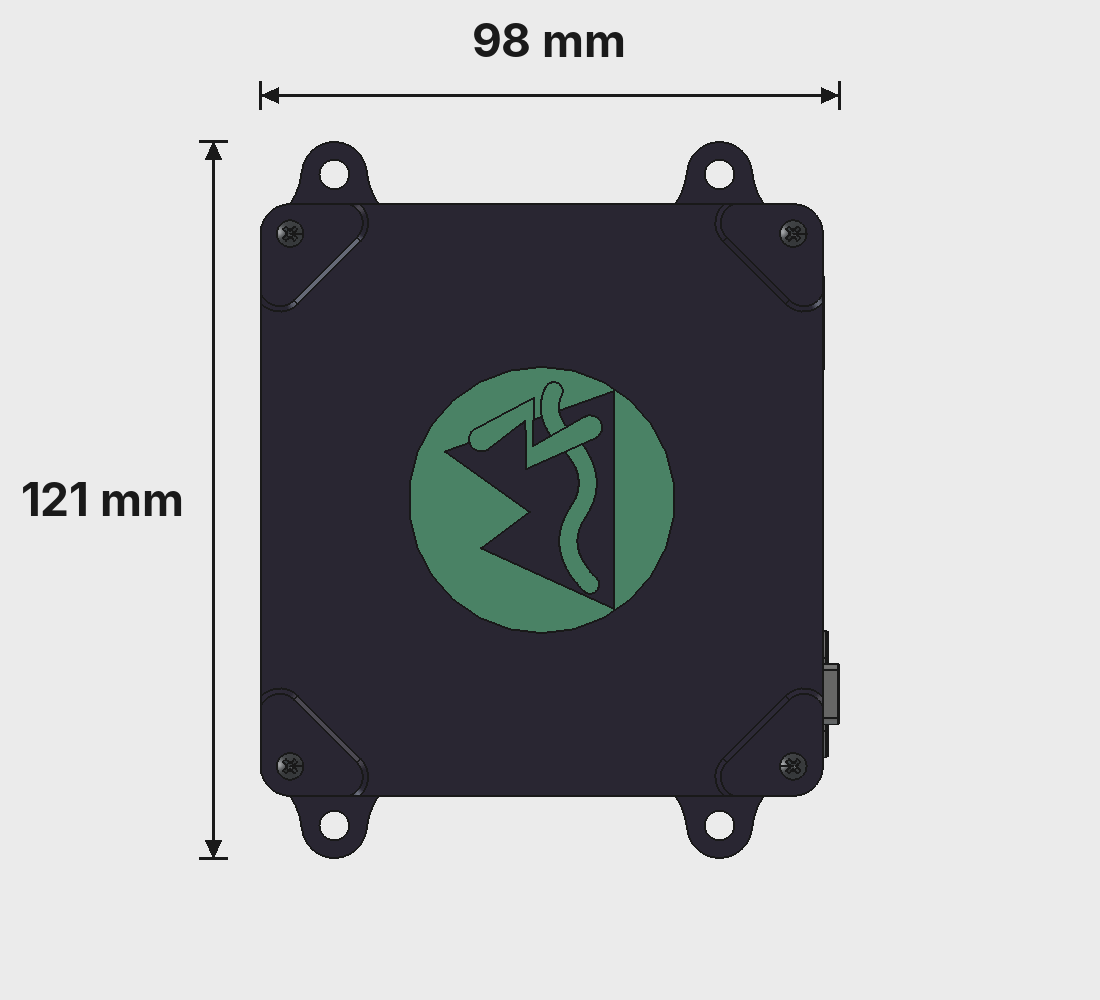
Top View
Embossed TrailCurrent logo on the cover, four cover screws at the corners, and four mounting tabs on the long ends. The DTM4 connector pokes out on the port side.
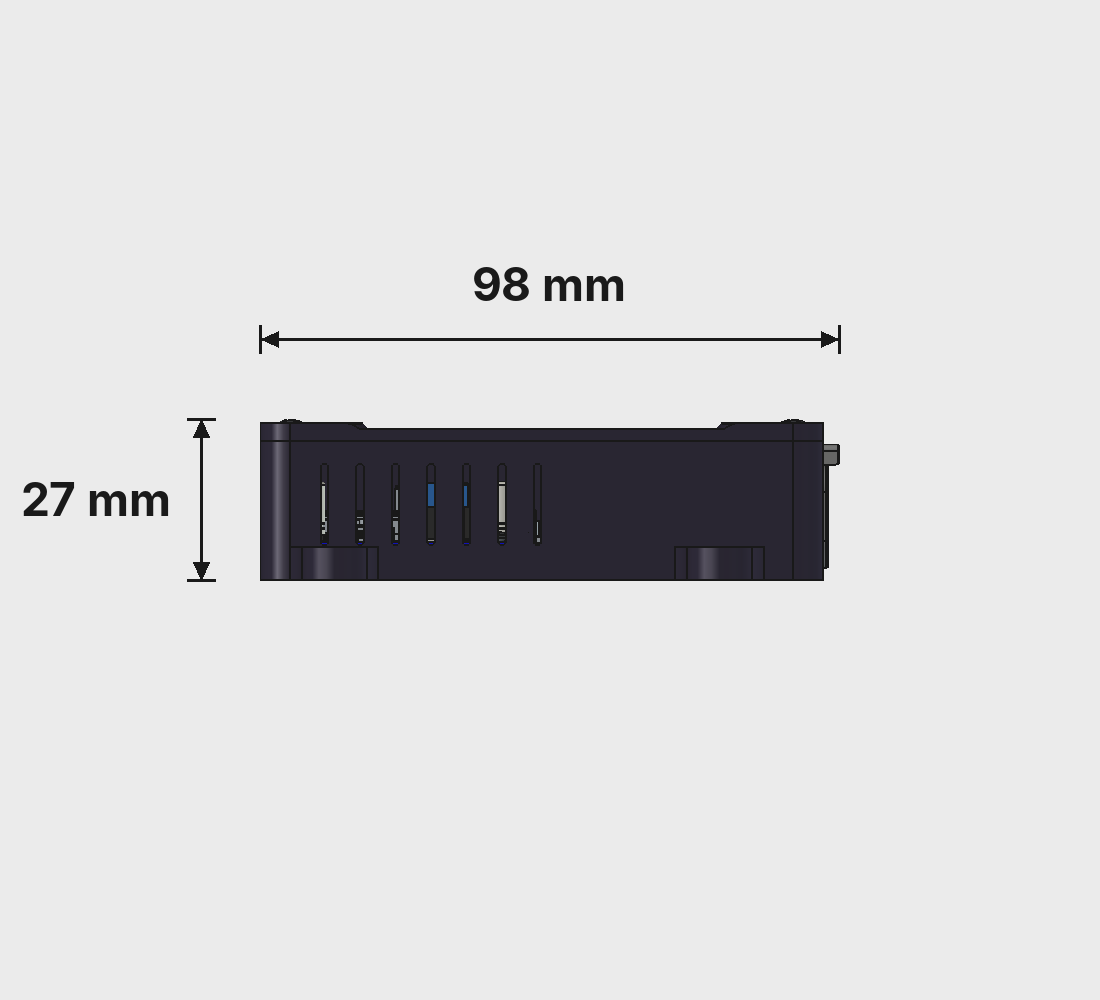
Front View
Vent slots run the full length of one long side so the Radxa SoC can breathe. No fan: passive cooling is enough for the idle-most-of-the-time voice assistant workload.
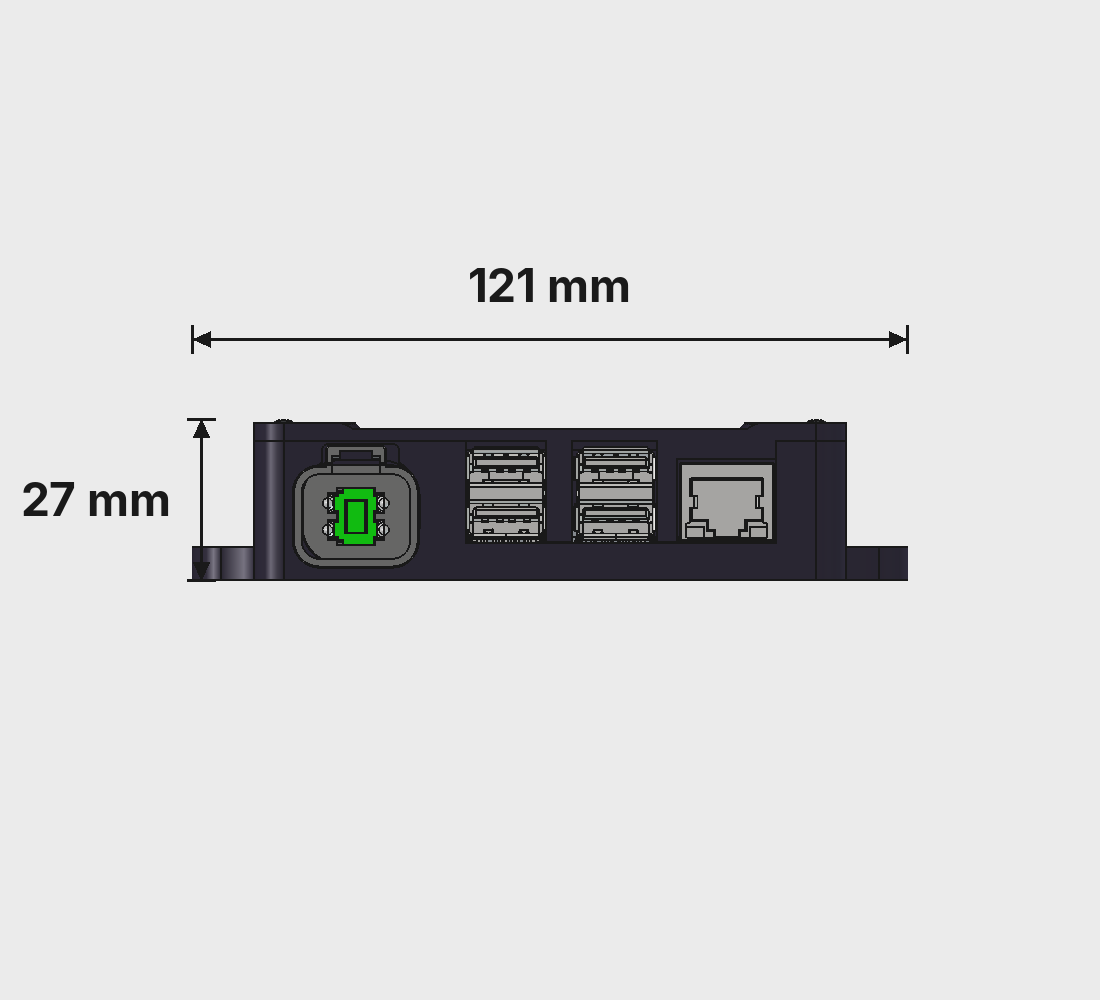
Port Side
The business end. Deutsch DTM 4-pin power connector, four USB-A ports for the Jabra Speak and accessories, and a gigabit ethernet jack that uplinks Peregrine to the rest of the network.
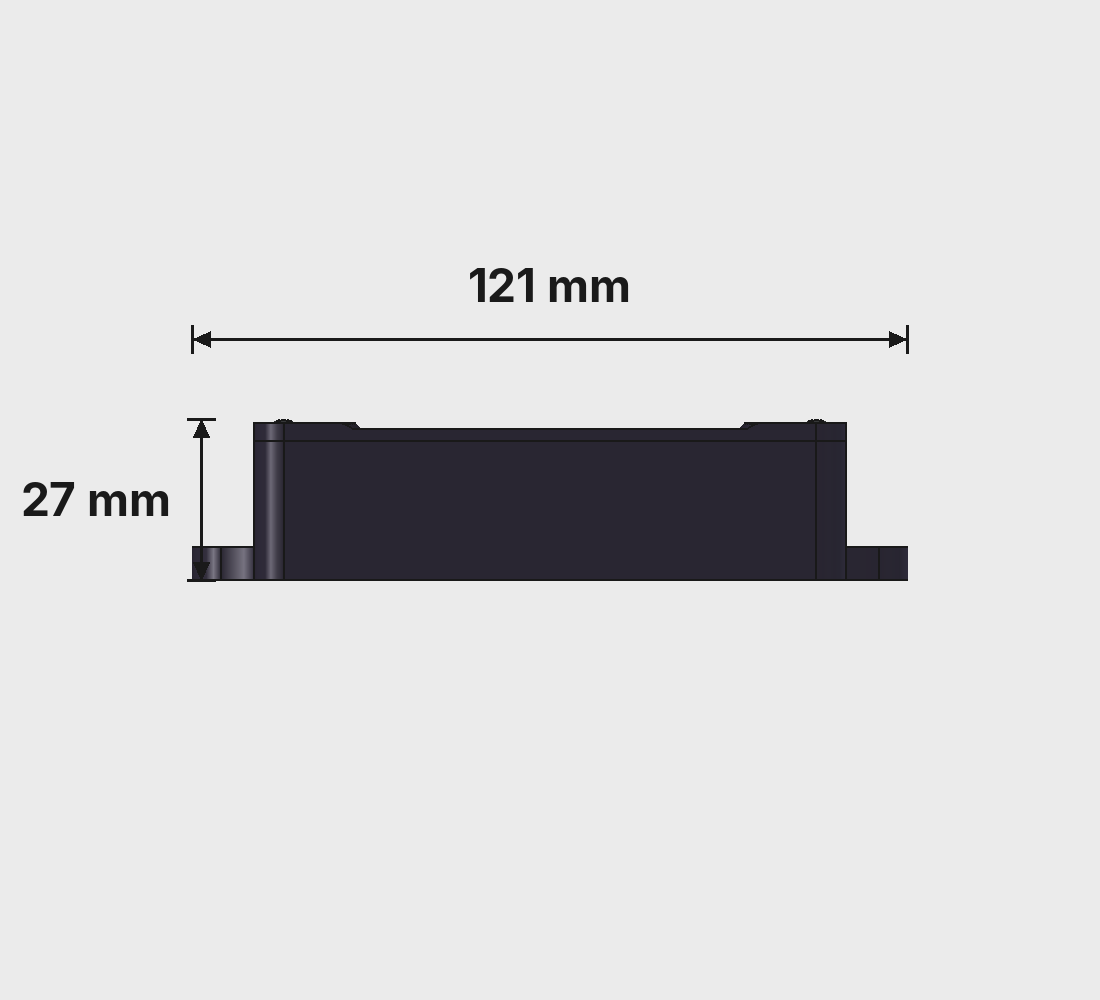
Blank Side
The face that usually sits against a bulkhead. No ports, no vents. Keeps the install clean and the label-free side toward the cabin.
Overall dimensions: 98 × 121 × 27 mm. Source CAD lives in the CAD folder of the Peregrine repo.
3D Printed Parts
Two pieces, ABS, set up as a multi-filament print so the TrailCurrent logo on the cover comes out in brand green. A ready-to-print project lives on Makerworld, and the raw .3mf and STL files are in the CAD folder of the repo.

Case Bottom
The main body. Integrated standoffs hold the Radxa Dragon Q6A and the LM2597 buck converter, a long vent array runs the full length of one side to shed SoC heat, and the short end frames the DTM4 power connector and the Radxa's port cluster. Four mounting tabs at the corners for the install. Prints with the open top facing up, so the tub sits on the build plate and the walls grow straight up.
- Dimensions: 95 × 121 × 23.5 mm
- Material: ABS (or ASA)
- Nozzle: 0.4 mm
- Layer height: 0.2 mm
- Walls: 6 perimeters
- Infill: 100%
- Orientation: Open side up (standoffs point at the nozzle)
- Supports: Tree (auto), enabled
- Nozzle temp: 270 °C (260 °C first layer)
- Bed temp: 90 °C
- File:
BodyTrailCurrentPeregrineCaseBottomV10.stl

Case Cover
The lid. Embossed TrailCurrent logo on the top face and four
clearance holes for the cover screws. Set up as a two-filament
print: body in the case color, logo swap to TrailCurrent green
on the embossed face. Prints on its edge, not
flat. Standing the cover up means the multi-color layers run
vertically across the logo face, which gives a much cleaner
color boundary than trying to print the logo on a horizontal
top surface. The profile in the .3mf handles the
orientation and the filament mapping for you.
- Dimensions: 95 × 100 × 20.1 mm
- Material: ABS (or ASA), two filaments (case color + green for logo)
- Nozzle: 0.4 mm
- Layer height: 0.2 mm
- Walls: 6 perimeters
- Infill: 100%
- Orientation: On edge, logo face perpendicular to the build plate
- Supports: Tree (auto), enabled
- Nozzle temp: 270 °C (260 °C first layer)
- Bed temp: 90 °C
- Files:
BodyTrailCurrentPeregrineCaseTopNoLogoV2.stl+PeregrineCaseTopV2.stl(logo insert)
Assembly
Board-mount screws, drop in the Radxa and the buck, wire the DTM4, close the cover.
-
1
Print the case
Easiest path: open
TrailCurrentPeregrine.3mffrom the CAD folder in Bambu Studio (or Orca) and print both plates. ABS, 0.2 mm layers, 100% infill, 6 walls, tree supports on the bottom. If you're slicing from STL, match those settings; the cover prints flat with no supports. -
2
Set up the Radxa board
On the bench, flash Radxa OS Noble 24.04 onto the Dragon Q6A and boot it. Clone the Peregrine repo, run
setup/setup-board.shas root, and let it install the NPU runtime, create theassistantuser, download the Llama 3.2 NPU model and the Piper voice, install the wake word, and register the systemd services. It's idempotent, safe to re-run. -
3
Mount the Radxa in the case
Lower the Radxa Dragon Q6A into the bottom of the case so its port cluster lines up with the port-side cutout. Drive four M2.5 × 3 mm screws through the board's mounting holes and into the case's integrated standoffs. Snug, not cranked down; the plastic threads are gentle.
-
4
Drop in the buck converter
Set the LM2597 buck converter into its pocket next to the Radxa and secure with two more M2.5 × 3 mm screws. Before wiring it up, trim the pot on the buck to exactly 12.0 V with a meter. A fully charged 4S lithium pack can sit at 14.6 V and the Radxa's 12 V input is unforgiving about anything much above spec.
-
5
Wire the DTM4 to the Radxa power pins
Press the Deutsch DTM04-4P receptacle into its opening and land vehicle 12 V / ground on the input side of the buck. Run the regulated 12 V output from the buck to the Radxa Dragon Q6A's three-pin power header. This header is a separate block of three pins sitting right next to where the buck lands in the case, not part of the main GPIO header, and it took us a while to track it down in the Dragon Q6A docs. Route cables so they clear the cover standoffs.
-
6
Close the case
Drop the cover on. Secure with four M2.5 × 6 mm screws at the corners. Snug, not cranked down; the plastic threads are gentle.
-
7
Plug in the Jabra Speak
Connect the Jabra Speak USB speakerphone to one of the Radxa's USB-A ports. One cable gives you both the mic array and the speaker, with echo cancellation already handled in the Jabra itself. Confirm it shows up with
arecord -landaplay -l. This is the only audio hardware we've validated on Peregrine, and the setup script expects it. -
8
Say hey Peregrine
Power it up. Watch the boot over ethernet with
journalctl -u voice-assistant -f. Once the wake word model loads, say "hey Peregrine, what's the battery at" and you should hear Piper answer back. Set the MQTT broker in~/assistant.envto give it access to lights, relays, and sensor data through the TrailCurrent bus.
Voice Pipeline
Four local models, one simple loop. No network calls, no cloud round-trip.
1. Wake Word
A custom hey_peregrine openWakeWord model trained
on a mix of real recorded positives and TTS-generated variants.
Runs continuously on a single CPU core, sub-one-percent load,
~200 MB of audio buffer. Tuneable threshold, default
0.85. Negative clips of ambient cabin noise keep false
positives near zero.
2. Speech-to-Text
faster-whisper base.en in INT8, running on the
CPU. Records two to three seconds of audio after the wake
word fires and transcribes locally in well under half a
second. No audio ever leaves the box. No audio ever hits the
filesystem unless you explicitly turn on debugging.
3. Intent and LLM
Fast regex-based intent matching handles the common commands
directly: lights on / off, brightness, relays, temperature,
battery, location. Anything that doesn't match falls through
to Llama 3.2 1B running on the Hexagon NPU over the
genie-t2t-run HTTP server. Roughly twelve tokens
per second, no round-trip to a data center.
4. Text-to-Speech
Piper TTS (en_US-libritts_r-medium). Synthesizes
the response on the CPU in real time and plays it straight
out through ALSA. No cloud API, no billing, no latency from
a network hop. The whole "listen, understand, answer" loop
usually finishes in well under two seconds.
Device Control (MQTT)
Matched intents fire MQTT messages onto the TrailCurrent bus:
devices/{id}/set for lights, relays, and
thermostat. Switchback relays respond on/off. Device names
come from the TrailCurrent web UI so "turn off the awning
light" just works.
Hardening
The setup script disables the desktop, GPU stack, HDMI,
snapd, and any service not strictly needed for the voice
loop. CPU governor pinned to performance. Kernel swappiness
and dirty-page tuning cut audio jitter. assistant
user runs the service with a locked password; there's no
interactive login.
Voice Commands
A taste of what the assistant responds to. Unrecognized phrases fall through to the LLM.
| Category | Example Phrases |
|---|---|
| Lights on / off | "Turn on the lights", "Lights off", "Turn off light 3" |
| Light brightness | "Set lights to 50 percent", "Dim light 2 to 25 percent" |
| Named devices | "Turn on the water pump", "Turn off the awning light" |
| Everything | "Turn off everything", "Turn on all the lights" |
| Temperature / humidity | "What's the temperature?", "How hot is it?", "What's the humidity?" |
| Battery / energy | "What's the battery level?", "How much solar?" |
| Location | "Where are we?", "What's our location?" |
| Anything else | Answered by the on-device LLM. No network, no cloud, no wait. |
Build Your Own Peregrine
Every file is in the repository: CAD, wake word training pipeline, Python assistant, NPU LLM server, and the systemd service files. Fork it, build it, make it yours.